Privacy Policy
Your credentials stay on your device.
ProbeDeck connects to your ClickHouse servers straight from your device, with no account system and no backend. The app sends only optional, anonymous diagnostics, and switches turn them off.
- Scrubbed, optional diagnostics
- No account required
- No tracking, no IDFA
- Keychain-only credentials
- On-device connections
- No ads
Data we collect
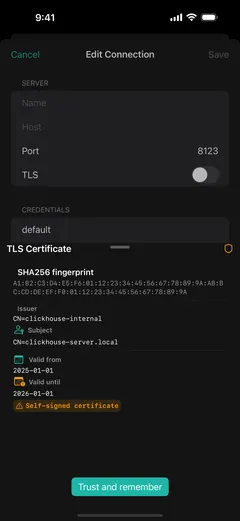
Connection credentials, private keys, hostnames, query text, and result values never leave your device: credentials live in the iOS Keychain, SSH keys in the Secure Enclave, and the app keeps them out of logs and diagnostics. With the diagnostic toggles on, ProbeDeck sends anonymous crash reports and aggregate feature-usage counts, scrubbed through a strict allow-list that excludes passwords, hostnames, table or column names, query text, and data values. The first-launch privacy screen shows both toggles before you connect anything, and Settings keeps the same switches.
Network, and the optional AI assistant
ProbeDeck connects directly from your device to the ClickHouse server, or SSH bastion, that you configure. It does not proxy, relay, or mirror your traffic through any developer-operated service. The AI assistant is optional and off until you set it up. It runs against your own Ollama endpoint or a third-party provider using your own API key (BYOK); those requests go directly from your device to the endpoint you chose, and may include query text or system-table output but never your stored credentials. There is no developer-operated AI proxy in this version.
This website
This site runs Google Analytics 4 to count visits and see which pages people read. That measurement covers probedeck.app only. The app itself ships no Google Analytics and no advertising SDK, the two hold no shared identifier, and nothing about your ClickHouse connections reaches this site. Analytics here records the usual web fields: page address, referrer, approximate location derived from IP, browser and device type. Browser tracking protection and ad blockers stop it.
Contact
If you have questions about privacy, email us at support@probedeck.app.
Last updated August 11, 2026